App Available Now

Download the App from 49win for Android and iOS – Take the Platform Anywhere

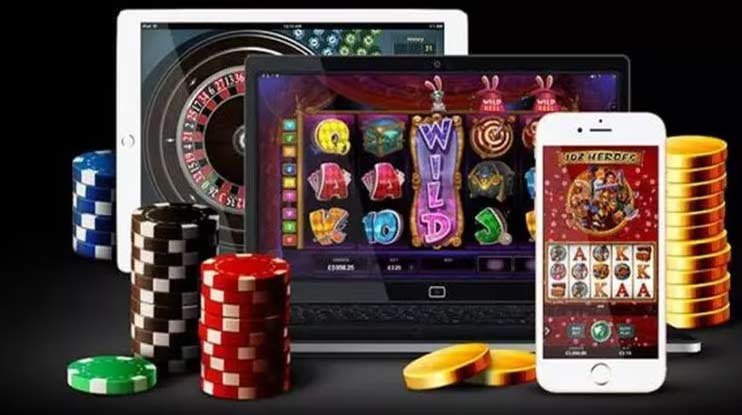
The 49win app 49win brings everything together in one place: slots, live casino, sports betting, Pix deposits, and withdrawals in BRL. All of this right on your phone, available any time of day.

49win
Android 7.0+
iOS 13+
Pix
Instant deposit
100%
Free to download

Choose how to access 49win

The full catalog — slots, Live Casino, and sports betting — is available across all three access options below.

Android 7.0 or higher

Android App

Install the APK directly on your Android smartphone or tablet. The process is simple and takes less than a minute. No root or advanced settings required.

File size~45 MB
Minimum versionAndroid 7.0
UpdateAutomatic via app
Download Android APKFree
iOS 13 or higher

IOS App

Available for iPhone and iPad running iOS 13 or later. Interface optimized for the screen size of your Apple device.

File size~52 MB
Minimum versioniOS 13
UpdateVia App Store
Download for iPhone & iPadFree
Any device

Browser Version

No installation at all. Access 49win 49win via your mobile, tablet, or desktop browser. Works on Chrome, Safari, Firefox, and others.

InstallationNot required
CompatibilityAny modern browser
UpdateAlways the latest version
Access via browserNo download
49win

What you'll find in the 49win app

Most Brazilians who play online today do so on their phones — and the 49win knows this. The app was built to deliver the same complete experience as the desktop version in an interface designed for smaller screens, with correctly sized touch buttons, smooth navigation, and fast loading even on 4G connections.

In the app, you have access to the full slots catalog, the Live Casino with real dealers, the sports betting section with live odds, and all account features — deposit, withdrawal, history, and settings. Nothing is left out compared to the browser or desktop version.

Android: how to install the 49win APK

On Android, the 49win app 49win is distributed as an APK file — a direct installation format that does not depend on the Google Play Store. This is common among betting and gaming platforms in Brazil. The process is straightforward, but requires one extra step compared to installing from an app store: you need to allow installation from unknown sources in your phone's settings.

This setting is located in Settings → Security → Install apps from unknown sources (the path may vary slightly depending on the Android version and phone brand). After enabling the option, simply download the APK and follow the normal installation process. Once completed, the icon of the 49win appears on your home screen or in the app drawer.

The Android app takes up around 45 MB of storage — well below most popular mobile games. Updates are notified within the app itself and can be installed without repeating the external sources setup process.

IOS: installation on iPhone and iPad

On iOS, installing the 49win app 49win takes a different path from Android. For iPhones and iPads, the app is made available through a direct installation link — without going through the App Store — using Apple's enterprise distribution mechanism. When you tap the download link on the download page of 49win, you receive a permission request to install the configuration profile. Just accept it, and the app is installed normally.

After installation, you may need to confirm trust in the developer in your iPhone settings: Settings → General → Device Management. This procedure is standard for apps distributed outside the App Store and is completely safe. The app from 49win works normally after this confirmation, with no jailbreak required.

49win

Play via browser: the no-install alternative

If you prefer not to install anything, the mobile version of 49win 49win via browser is an excellent option. The site is responsive and automatically adapts to any screen size — phone, tablet, or laptop. The visual experience is comparable to the app, and all features are available: slots, live casino, sports betting, deposits, and withdrawals.

The most noticeable difference is in initial loading speed: since the app is installed locally, it tends to open slightly faster than the browser. For users who access the platform frequently, the app is usually more convenient. For those who access it occasionally or prefer not to use storage space, the browser works just fine.

A tip for those who prefer the browser on iPhone: you can save the shortcut for 49win on the home screen via Safari. Just open the site, tap the share icon, and select "Add to Home Screen". The icon appears on your phone screen just like an installed app.

Exclusive app features

In addition to access to the full catalog, the app from 49win offers some features that make the experience more convenient compared to the browser. Push notifications are a good example: you can set them up to receive alerts about promotions, betting results, and odds updates directly on your phone's lock screen, without needing to open the app.

Live Casino session performance also tends to be more stable in the app, especially for high-quality video streams. The app handles continuous streams better than browser tabs, which may compete with other system resources.

For players who use biometric authentication — fingerprint or Face ID — the app supports quick biometric login, making access faster than typing a password every time.

Deposit and withdrawal in the app

All financial transactions at 49win work normally in the app. You can deposit via Pix directly through the app — a Pix key is generated on screen, you copy it or use the QR code and pay through your bank. The credit appears in your account within seconds.

For withdrawals, the process is equally straightforward: open the withdrawal section in the app, enter the amount and your Pix key, and confirm. After identity verification — which is completed just once for your entire account — withdrawal requests are processed quickly. Via Pix, the amount arrives in your bank account in BRL with no platform fees.

Secure download: The APK and iOS installation link provided by 49win 49win are official and go through regular verification checks. Never download the app from unauthorized sources — always use the link available on this page.
Your data protected: The app uses encryption to protect your account information and financial transactions. Read our Privacy Policy for more details.

What the 49win app offers

From access to the full catalog to security features and everyday convenience.

Full catalog

All slots, live casino games, and sports betting available on the app — the same catalog as the desktop version.

Pix in the app

Deposit and withdraw in BRL via Pix directly through the app. Integrated QR code for instant payment.

Push notifications

Receive alerts about promotions, betting results, and odds updates directly on your phone screen.

Biometric login

Access your account with fingerprint or Face ID, without needing to type your password every time you open the app.

Optimized live casino

High-quality streams with real dealers, optimized for the app and stable even on 4G connections.

Real-time live odds

Follow and bet on live events with real-time updated odds directly through the app.

Installed app or browser: what changes

Both access methods work well — see the differences to choose what makes the most sense for you.

Feature App installed Browser
Installation required Yes (~45–52 MB) No
Slots and Live Casino ✓ Full ✓ Full
Sports betting ✓ With live odds ✓ With live odds
Deposit and withdrawal via Pix ✓ Integrated ✓ Works
Push notifications ✓ Yes No
Biometric login ✓ Digital / Face ID No
Loading speed Faster Depends on connection
Automatic update ✓ In-app notification ✓ Always current
49win

How to install the 49win app on Android

1

Open this page on your phone

Open your Android browser and go to the download page of the 49win. Click the APK download button.

2

Allow unknown sources

Go to Settings → Security and enable the "Install from unknown sources" option for your browser.

3

Install the APK

Open the downloaded APK file in your downloads folder and tap "Install". The process takes a few seconds.

4

Open the app and log in

The 49win icon 49win will appear on your home screen. Open the app and log in or create a new account.

How to install the 49win app on iPhone

1

Open the download link through Safari

On iPhone, use Safari to visit the download page. Other browsers may not support profile installation.

2

Authorize the profile installation

A window will ask for permission to install a configuration profile. Tap "Allow" and confirm in Settings → General → VPN & Device Management.

3

Confirm trust in the developer

In Device Management, tap the developer name and select "Trust". This step is done only once.

4

Access the app normally

The 49win app 49win will already appear on the iPhone screen. Log in or create your account to get started.

Questions about the 49win download

Yes, downloading and installing the app from 49win are completely free — for both Android and iOS. There is no charge to download or install the app. The only amounts involved are what you deposit to play and bet within the platform.

By default, Android blocks the installation of apps that do not come from the Google Play Store. Because the 49win app 49win is distributed as a direct APK — a common practice among betting and casino platforms in Brazil — so you need to grant this permission. You can enable the option just for your browser and, if you wish, disable it after installation.

Yes. The app from 49win offers access to the full catalog — slots, live casino, sports betting — along with all account functions: Pix deposits, withdrawals, transaction history, and settings. Some features such as push notifications and biometric login are exclusive to the app and are not available in the browser version.

Yes. The mobile version of 49win via browser works on any smartphone or tablet with no installation required. Just access the site through Chrome, Safari, or Firefox on your phone. The experience is quite complete, with support for all game types and financial transactions via Pix.

On Android, when a new version is available, the 49win app itself 49win displays an update notification. You download and install the new APK following the same process as the initial installation, without needing to reconfigure permissions. On iOS, updates are delivered through the same mechanism as the original installation. The browser version is always up to date automatically.

Take 49win in your pocket

Download the app for Android or iOS and access slots, live casino, and sports betting with Pix deposits wherever you are.

Português (Brasil)